
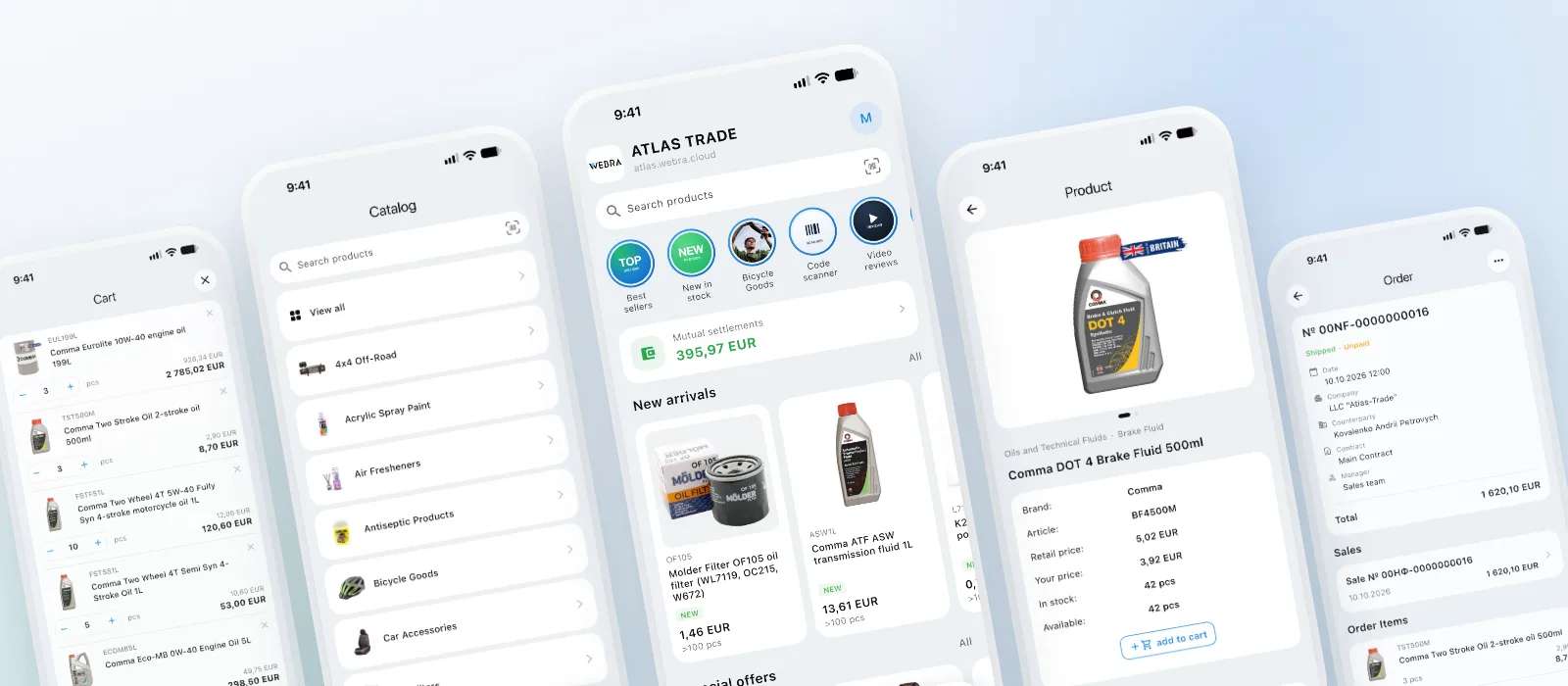
The app is free and included in your plan. You don't need to build or publish anything. A customer downloads WEBRA, scans the QR code in their web account, and they're in.
Why an app if the portal opens in a browser
The portal in a browser works well at a desk. But a wholesale buyer is often away from the desk: in the warehouse, on the shop floor, on the road between locations. That is where the questions come up: “Does the supplier have it in stock?”, “What's our price?”, “Has the order shipped?”
In the app, customers sign in once. After that, they tap the icon on their phone and land straight in the catalog, with no portal address or password to enter.
Reordering right at the shelf
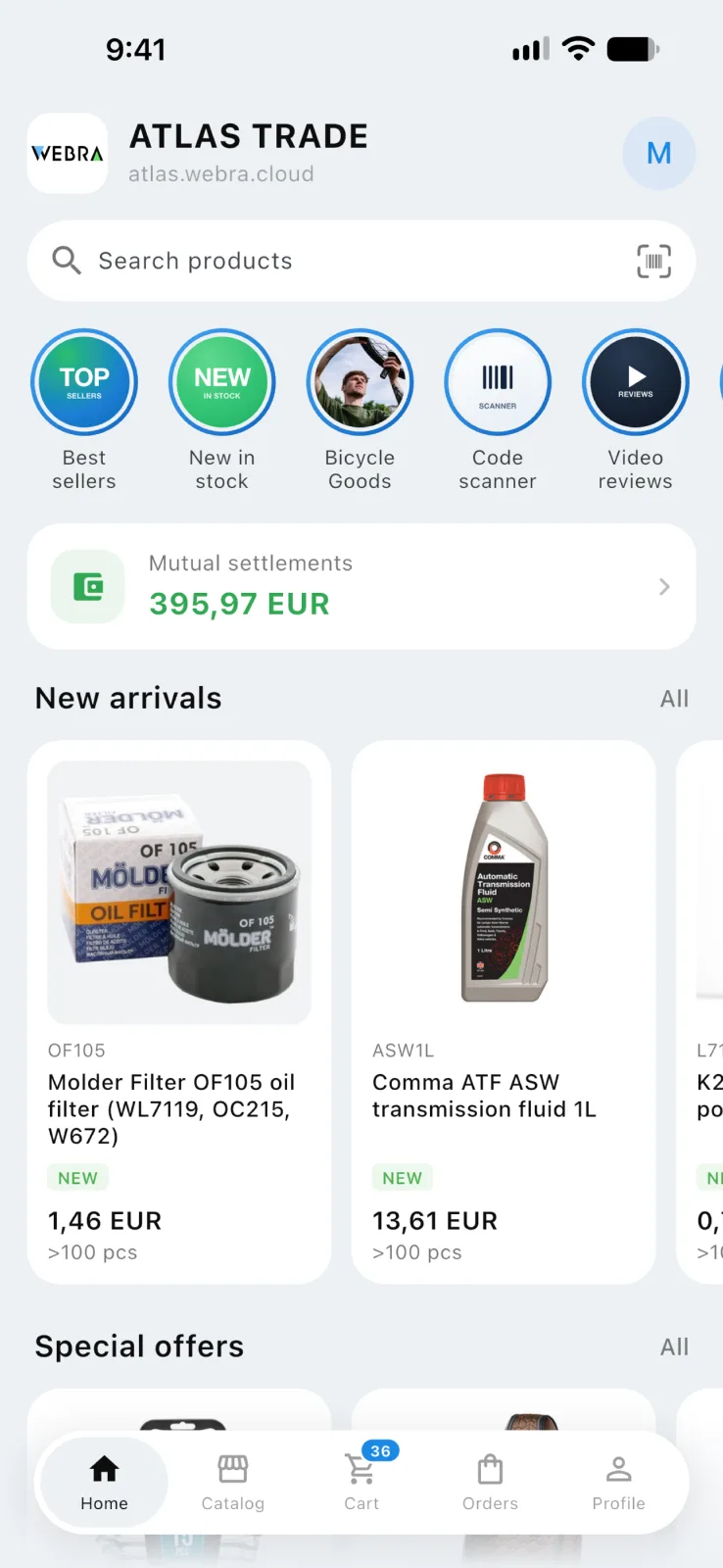
A customer notices a product is running low. They point the camera at the package, and the app finds the product by its barcode. The product page shows stock at each warehouse and the customer's contract price next to the RRP. All that's left is to enter the quantity and add the product to the cart.
Stock and prices sync with your ERP automatically. Like the portal, the app keeps working even if the ERP is unavailable at that moment.
Regular orders without re-entering every item
A regular purchase is usually the same set of products. In the app, a previous order is copied to the cart in full or added to what is already there. Quantities adjust automatically to pack multiples and minimum order quantities.
Checkout works the same as in the portal: the customer selects the contract, delivery, payment method and preferred date, and leaves a comment for the manager.
Order status comes to the phone
When an order is accepted, shipped or paid, the customer gets a push notification. There is no need to open the portal or call the manager to find out what is happening with the order.
Invoices and delivery notes open in the app and go to email or a messenger in one tap. Proof of payment or a letter of authorization can be attached to the order: the customer takes a photo of the document, and the manager gets a notification.
Your promotions on the customer's home screen
You publish stories, banners and news straight from the portal. Customers see them as soon as they open the app.
Each slide leads where you decide: to a product page, a catalog category or a news post. The customer sees a promotion, taps it and lands on the product page.
This is your own channel to your customers. It doesn't depend on email campaigns and doesn't get lost among messages in chat apps.
How to connect your customers
The customer downloads WEBRA from the App Store or Google Play.
They open their web account on a computer and point the phone camera at the QR code.
Done: the app is connected to your portal.
Regular sign-in is also available: portal address, email and password. If self-registration is open on your portal, a new customer can apply right from the app.
Almost nothing is required from you. There is no separate integration, and modules are switched on with the same settings as in the portal. For stories and banners you'll need your promo artwork, and for the home screen your logo and photos of your managers.
The app runs on iPhone (iOS 15 and later) and Android phones. The interface is available in the languages of your portal; the language is taken from the customer's profile.
